Migrating from Material for MkDocs to Zensical: A Documentation Engineer Walkthrough

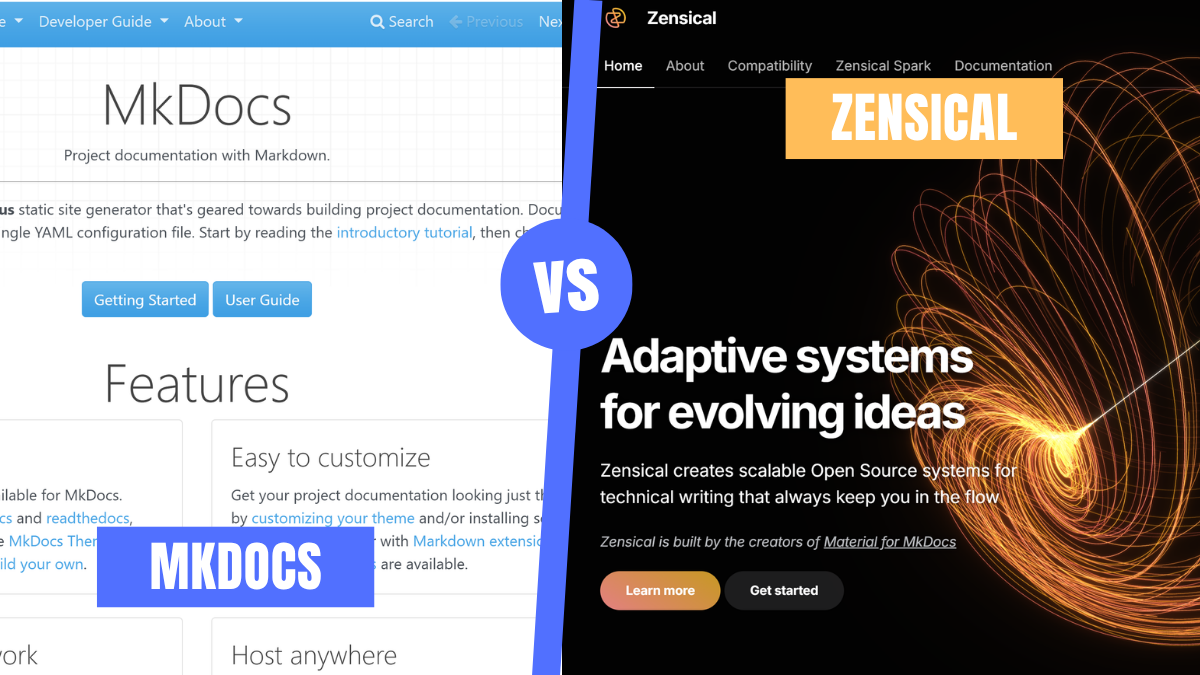
If you maintain technical documentation in 2026, there’s a good chance you’re using MkDocs or Material for MkDocs.
You picked it for good reasons. You can get a docs site running in minutes, write everything in Markdown, deploy to GitHub Pages with a lightweight CI pipeline, and end up with a polished-looking documentation site without much setup.
What you might not know is that there is a shift. The team behind Material for MkDocs has introduced Zensical, a new static site generator written from scratch in Rust, and placed Material for MkDocs into maintenance mode. At the same time, MkDocs 2.0 is heading in a direction that won’t remain compatible with Material for MkDocs or much of its existing plugin ecosystem.
If your team builds docs-as-code, then this matters to you. In this walkthrough, you’ll learn what Zensical actually is, how to migrate an existing Material for MkDocs project step by step, and whether it makes sense to move now or wait.
How We Got Here
MkDocs has been around since 2014. It’s a simple Python-based static site generator that works by pointing it to a folder of Markdown files, providing a YAML config, and generating a searchable documentation site. It has a minimal and clean architecture.
In 2016, Martin Donath (known online as Squidfunk) released Material for MkDocs. Technically, it’s a theme, but it has evolved into a framework for technical writing. We’re talking about tabs, admonitions, code annotations, versioned navigation, and instant search.
Here's the part most people miss: Material for MkDocs and MkDocs are two different projects with two different teams. Squidfunk's team maintains Material for MkDocs. They have no control over MkDocs itself; they just depend on it.
As for the underlying MkDocs engine, MkDocs 1.x has been effectively unmaintained since August 2024, with version 1.6.1, released on August 30, 2024. It remains the last release to date, as of the time of writing this article.
With issues piling up and no maintained path forward, the Material for MkDocs team faced a strategic question: keep building on a stagnant dependency, or move, and they chose to move.
On November 5, 2025, the Material for MkDocs team announced Zensical — a static site generator they'd been building from scratch for over a year. About six days later, they shipped Material for MkDocs 9.7.0, which made all previously paid “insiders” features free, and put the project into a 12-month maintenance window covering critical bug fixes and security updates only.
In late January 2026, MkDocs 2.0 entered pre-release as a ground-up rewrite with breaking changes that would have broken Material for MkDocs and the plugins built on top of it based on the team's analysis. The decision to build Zensical was already validated.
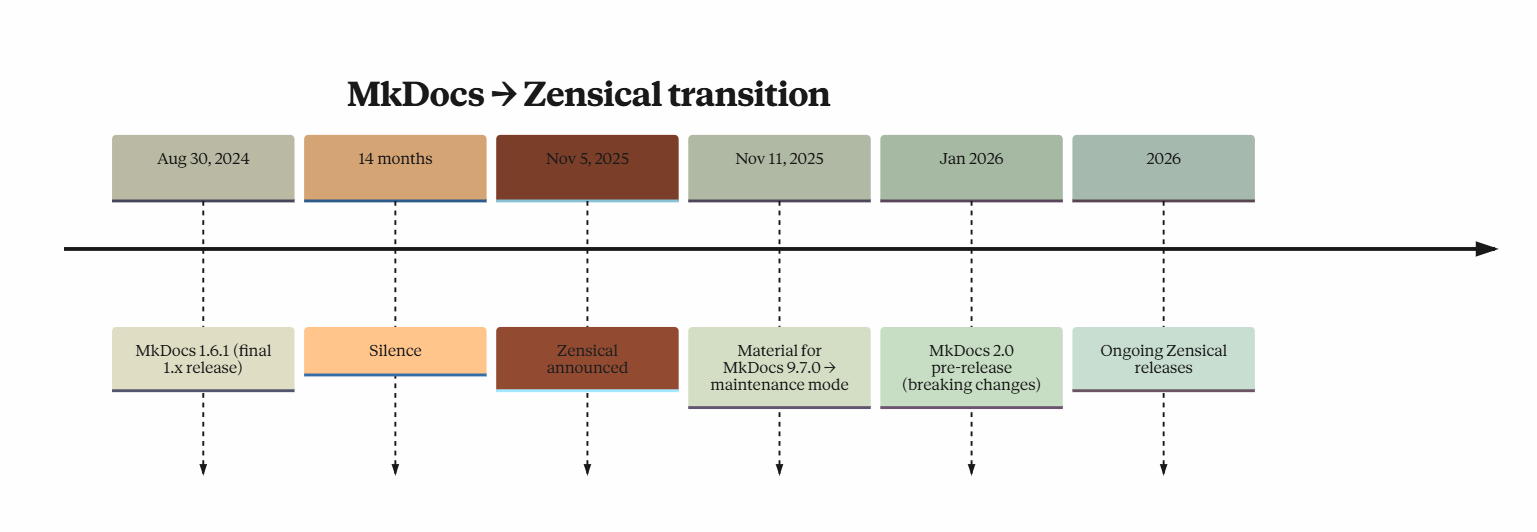
The ecosystem shift from Material for MkDocs to Zensical, marked by stagnation, announcement, and rapid post-launch development through 2026.
What Zensical Actually Is
Zensical is a modern static site generator designed to replace the MkDocs stack while staying backwards-compatible with existing projects. It’s built from years of experience, so they’ve learned what works and what doesn’t. They created it to fix the problems in MkDocs and go beyond what MkDocs can do.
Although it’s a new project, it’s compatible with your existing mkdocs.yml. Not all plugins are supported yet, but your core configuration works.
Zensical is built in Rust, with a thin Python layer on top using PyO3. That’s why you install it with pip like any Python package, but it runs much faster, closer to a Rust tool than a typical Python one.
Underneath, two components do the heavy lifting:
- ZRX (Zen Reactive Extensions) handles caching, data flow, and incremental builds. It’s the reason rebuilds are fast instead of painfully slow.
- Disco powers search, with better ranking and filtering than the usual setup.
Zensical ships two theme variants. The classic variant, which matches the Material for MkDocs look and the modern variant, which gives your site a fresh appearance.
There is, however, an honest caveat; Zensical is still in its early stage (alpha). The current version on PyPI is 0.0.43, released May 19, 2026, as of the time of writing. However, the project has shipped frequently since going public in November 2025.
Even though it’s in its early stages, it works. The GitHub Repo already has 4,700+ stars, and major projects are already migrating.
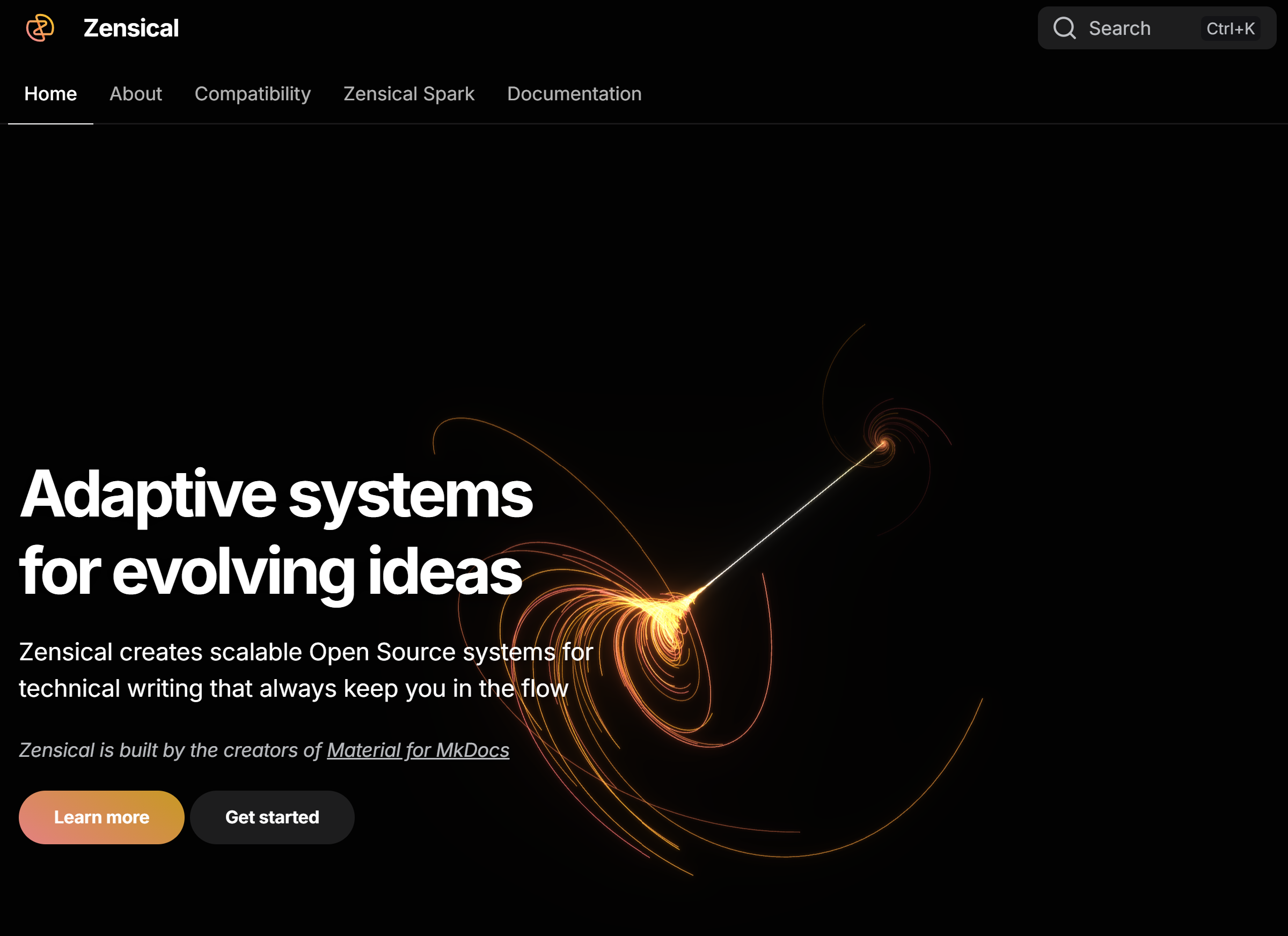
Zensical’s landing page introducing its modern documentation platform.
The Migration
Before migrating to Zensical, make sure your current setup meets the following prerequisites.
Prerequisites
- A working Material for MkDocs site
- Git installed
- Python 3.10 or newer (Zensical's minimum on PyPI)
- A CI/CD pipeline that builds and deploys your docs.
Before making changes, audit your project dependencies against the Zensical compatibility documentation. To get a clear picture of what you are working on, spend time looking at these three areas:
- Plugins: Review everything under
plugins:in yourmkdocs.yml. Zensical supports many of them, but not all yet. So make sure you check the compatibility matrix below or Zensical's official plugins page before committing to a migration timeline. - Theme overrides: List out your custom templates, CSS, JavaScript, and any hooks. These are the usual suspects when things don’t render the same.
- Markdown extensions: Look for anything using
material.extensions.*. You’ll need to rename those later.
If a key plugin isn’t supported yet, don’t force it. Either you wait or plan to build the missing piece yourself.
Once you’ve reviewed these, follow these steps:
Step 1: Create a migration branch
git checkout -b migrate/zensical
You’ll keep main as your baseline. When something breaks during migration, you need something to compare against, or in case a rollback is needed. Otherwise, you will spend more time guessing.
Step 2: Install Zensical in a new virtual environment
Install Zensical in a new virtual environment. You won’t want to mess up your existing mkdocs environment. Run the commands:
python3 -m venv .venv-zensical
source .venv-zensical/bin/activate     # Windows: .venv-zensical\Scripts\activate
pip install --upgrade pip
pip install "zensical==0.0.43"         # Pin the version. Alpha velocity is real.
zensical --version
For uv users:
uv tool install "zensical==0.0.43"
Step 3: Build off your existing mkdocs.yml
You don’t need to switch to zensical.toml yet, Zensical works with mkdocs.yml. From the directory containing your mkdocs.yml file, run the command:
zensical build --clean
Zensical reads mkdocs.yml directly and writes to site/ . This will show you any first-build errors, and you can fix them.
Some of the common ones include:
| Error | Fix |
|---|---|
docs_dir cannot be set to '.' | Set docs_dir to a subdirectory such as docs and move your source files there. |
Unknown plugin <name> | Plugin not yet supported. Check the compatibility matrix; remove the plugin or stay on MkDocs. |
| Unknown setting remote_branch / hooks / etc. | One of the unsupported settings. Remove. |
material.extensions.* unresolved | Rename to zensical.extensions.* — see step 5. |
Step 4: Select your theme variant
To minimize drift during your migration, start with the classic variant.
# mkdocs.yml
theme:
  name: material
  variant: classic       # add this
You can switch to modern later if you want.
Step 5: Rename Material extensions and icons
Do a namespace swap from material. to zensical.:
# Before
markdown_extensions:
  - pymdownx.emoji:
      emoji_index: !!python/name:material.extensions.emoji.twemoji
      emoji_generator: !!python/name:material.extensions.emoji.to_svg

# After
markdown_extensions:
  - pymdownx.emoji:
      emoji_index: !!python/name:zensical.extensions.emoji.twemoji
      emoji_generator: !!python/name:zensical.extensions.emoji.to_svg
For icons, swap the Material brightness icons for Lucide equivalents: material/brightness-7 → lucide/sun, and material/brightness-4 → lucide/moon.
Step 6: Preview locally
Run the command:
zensical serve
# default: http://localhost:8000
Open http://local:8000 and click through your docs. Don't just spot-check the homepage.
Compare against your live MkDocs site and look for:
- Broken links from absent plugins
- Missing icons or admonitions
- Empty search results
- Layout regressions in custom templates
If you use mike for versioning, double-check version switching. There's an official mike fork maintained by the Zensical team, you'll install it from the Git URL listed in compatibility documentation.
Some setups need temporary pinning to avoid conflicts.
Step 7: Update your build pipeline
If you have a pipeline already setup, replace your CI build command with:
zensical build --clean
A typical GitHub Actions workflow looks like this:
name: Documentation
on:
  push:
    branches:
      - main
permissions:
  contents: read
  pages: write
  id-token: write
jobs:
  deploy:
    environment:
      name: github-pages
      url: ${{ steps.deployment.outputs.page_url }}
    runs-on: ubuntu-latest
    steps:
      - uses: actions/configure-pages@v5
      - uses: actions/checkout@v5
      - uses: actions/setup-python@v5
        with:
          python-version: 3.10
      - run: pip install "zensical==0.0.43"   # Add installation commands for other dependencies if needed.
      - run: zensical build --clean
      - uses: actions/upload-pages-artifact@v4
        with:
          path: site
      - uses: actions/deploy-pages@v4
        id: deployment
If you're on Read the Docs, build with Zensical and copy the output into their expected directory. The canonical config is in Zensical's setup docs.
If anything breaks in production after deployment, the rollback is straightforward: revert the merge of the migrate/zensical branch.
That’s it. Your mkdocs.yml keeps working, and your Markdown files don’t need changes to work with Zensical. Your templates, override, CSS, and JavaScript extensions carry over the same configuration because Zensical uses the same HTML structure and Python-Markdown parser under the hood.
Plugin compatibility matrix (current state)
Plugin compatibility is one of the first things teams ask about during a migration, but right now the information is spread across Zensical’s docs, GitHub backlog, and community threads. To make things easier, here’s a consolidated table based on the official Zensical plugin compatibility page as of May 2026.
The Zensical team analyzed the top 1,000 GitHub repositories using Material for MkDocs to determine which plugins to support first. They grouped the work into two tiers. Tier 1 covers the highest-priority plugins and focuses on getting close to feature parity first, while Tier 2 plugins are still in the backlog.
A few details matter if you’re planning a migration:
- Many teams still use the popular awesome-pages plugin, but its original author has replaced it with awesome-nav. Zensical is building support around
awesome-nav, notawesome-pages. If your project still depends onawesome-pages, you’ll likely need a two-step migration: move from awesome-pages to awesome-nav in MkDocs first, then migrate to Zensical. - Some plugins don’t appear in either tier because Zensical plans to handle those features differently at the architectural level. The
typesetplugin is a good example. Material for MkDocs has already deprecated it because the upcoming modular navigation system will support rich navigation content natively.
If your site depends on a Tier 2 plugin that Zensical hasn’t shipped yet, you have options to choose from: wait for support, replace the feature with a workaround, or stay on Material for MkDocs during its 12-month maintenance window until the matching Zensical module becomes available.
Who should move now, and who should wait
Based on where the project stands today.
Migrate now if you:
- Run a personal site, a small project without deep plugin customization
- Care about the build performance on your large sites (500+ pages)
- Already hit limitations with MkDocs’ build speed or search
Wait a quarter or two if you:
- Rely heavily on plugins that aren’t supported yet
- Maintain docs for a regulated product where switching to “alpha software” is a hard no
- Have a 500-line customized mkdocs.yml stitched together by three different people that span over four years
The best advice is for you not to wait indefinitely, though. And that’s because Material for MkDocs is in a 12-month maintenance window that already began November 6, 2025, with focus on critical bugs and security fixes only, so no new features will be released. After that, you’ll be running unmaintained software.
There are early adopters already talking about how easy the process is. Here are some:
- Eleni Grosdouli migrated the Sveltos project documentation and described the process as "easy and headache-free," noting that the main work was adjusting the GitHub Actions workflow.
- The DDEV team and Renovate have all either completed the move or filed migration issues.
The plugin ecosystem hasn't fully caught up though, so if your project depends on a lot of plugins, expect some friction.
What does this signal for docs-as-code
In my view, for docs-as-code, Zensical is bigger than the tool itself. There are three things worth noting about it:
-
End of the sponsorware era: Material for MkDocs used a model in which sponsors received early access to features. But with the 9.7.0 release, all Insider features became free for everyone. Zensical, however, replaced sponsorware with Zensical Spark — a support-and-services tier aimed at organizations rather than individual developers.
-
Compatibility: The team could have shipped a clean-break rewrite and forced the users to rewrite their docs, but they didn’t. They shipped something that can work with your existing config. That’s a good product decision, and it’s why adoption is moving faster.
-
Docs-as-code is maturing: For a long time, documentation tools lagged behind developer tools. Now, tools like Zensical with faster builds and better search are catching up. This raises the standard higher, and that’s good for anyone writing docs.
Conclusion
MkDocs 1.x is no longer actively maintained, and Material for MkDocs has received only limited support for about a year. The same team has already moved forward with Zensical, which is faster, still works with your current setup, and is actively being built.
If your docs matter to your product, your team, or your users, then you need a plan. Start with the compatibility matrix, try a small migration in a separate branch, see what breaks, and plan from there. If you're stuck on a Tier 2 plugin, watch the Zensical backlog or consider contributing a module.
For deeper context on the ecosystem dynamics that led here, Florian Maas's The Slow Collapse of MkDocs is the most thorough public account, and Martin Donath's interview on Talk Python #542 covers the technical and strategic reasoning behind Zensical from the team itself.